

Virtual Firewall
Opening a Port Only to Certain IP Addresses
If you add allowed source IP addresses to a port forwarding rule, the port can only be reached from these addresses; connections from all other addresses stop at the firewall.
When should it be used?
We recommend allowed sources for ports that not everyone needs to reach, such as remote desktop (3389), SSH (22), databases (3306, 1433, 5432) and admin panels. When these ports are open to the internet, they are constantly targeted by password-guessing attacks.
Adding addresses
- In the Who can connect part of the rule form, choose Only certain addresses; the address box opens.
- Write one IP address (85.105.10.20) or network (85.105.10.0/24) per line; Enter moves to the next line.
- You can paste a whole list at once; addresses separated by commas or spaces are accepted too. Lines with mistakes are shown below the box immediately, and the summary line at the bottom of the form shows how many addresses can connect.
- The My address button adds the address you are connected to the panel from.
- A rule can have at most 30 addresses or networks. Networks must be between /8 and /32.
- To remove an address, just delete its line.
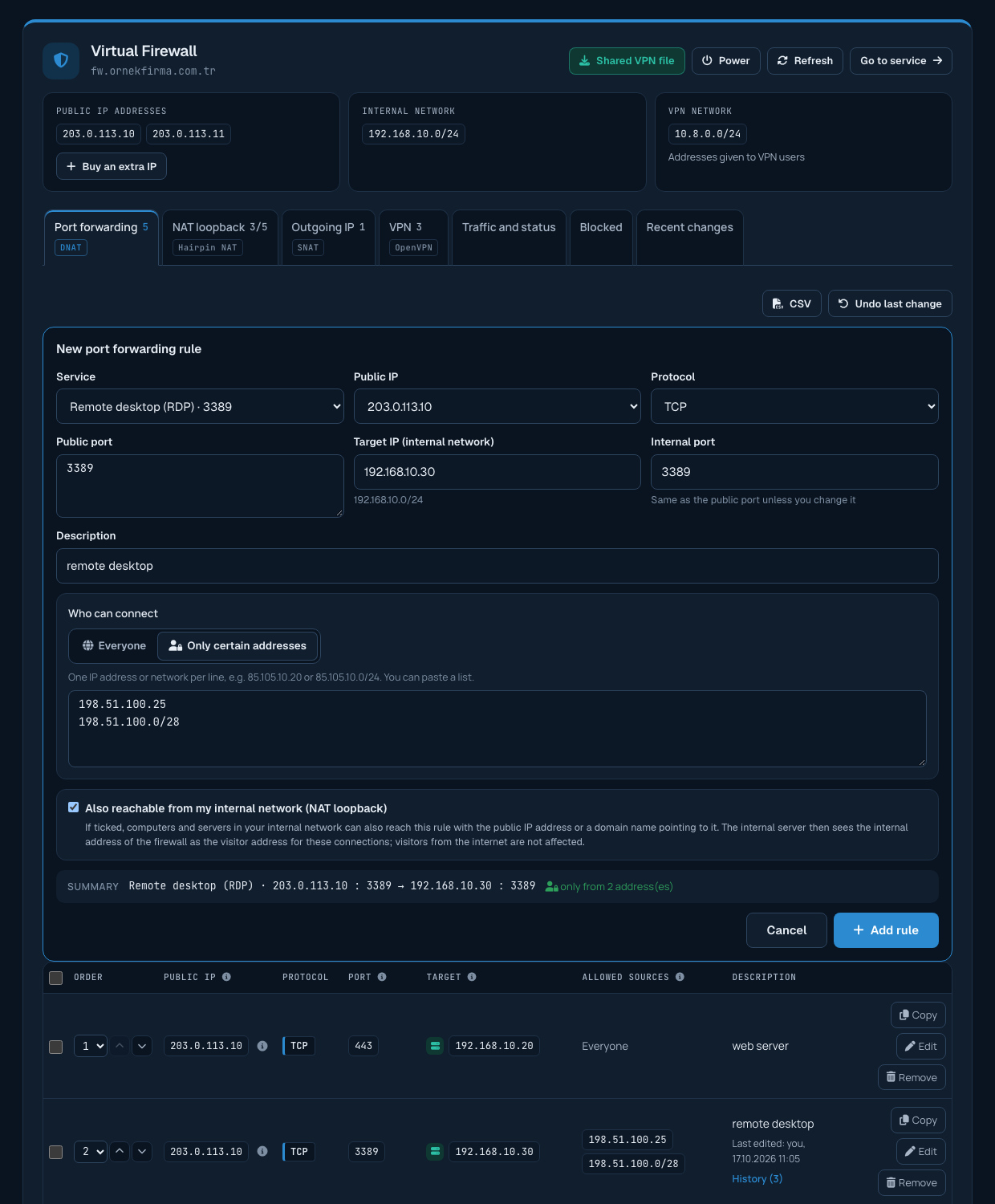
Adding an address later
Click Edit on the rule's row; the existing addresses appear line by line in the box. Write the new address on a new line and click Save changes.
Adding an address to several rules together
To add the same address to several rules, or remove it from several rules, select the rules and choose Add allowed address or Remove allowed address from the Actions menu. Addresses are not added to rules that are open to everyone (that would restrict the rule), and a rule's only address is not removed (that would open the rule to everyone). Skipped rules are listed after the change.
Opening to everyone
With Everyone selected, anyone on the internet can reach the port; the summary line shows "open to everyone". When you open a sensitive port such as remote desktop, SSH, VNC, FTP or a database to everyone, a warning appears in the form; to save, tick I understand the risk; open this port to everyone below the warning.
Access from your internal network
If access from your internal network (NAT loopback) is on for the rule, servers in your internal network can also reach it; the allowed source list only limits connections from the internet.
Responsibility
You are responsible for the ports you open and the addresses you allow. If you do not have a fixed IP address (home or mobile connection), you need to add the new address to the rule whenever it changes; in that case connecting over VPN may be more convenient.
