

Virtual Firewall: Opening a Port Only to Certain IP Addresses
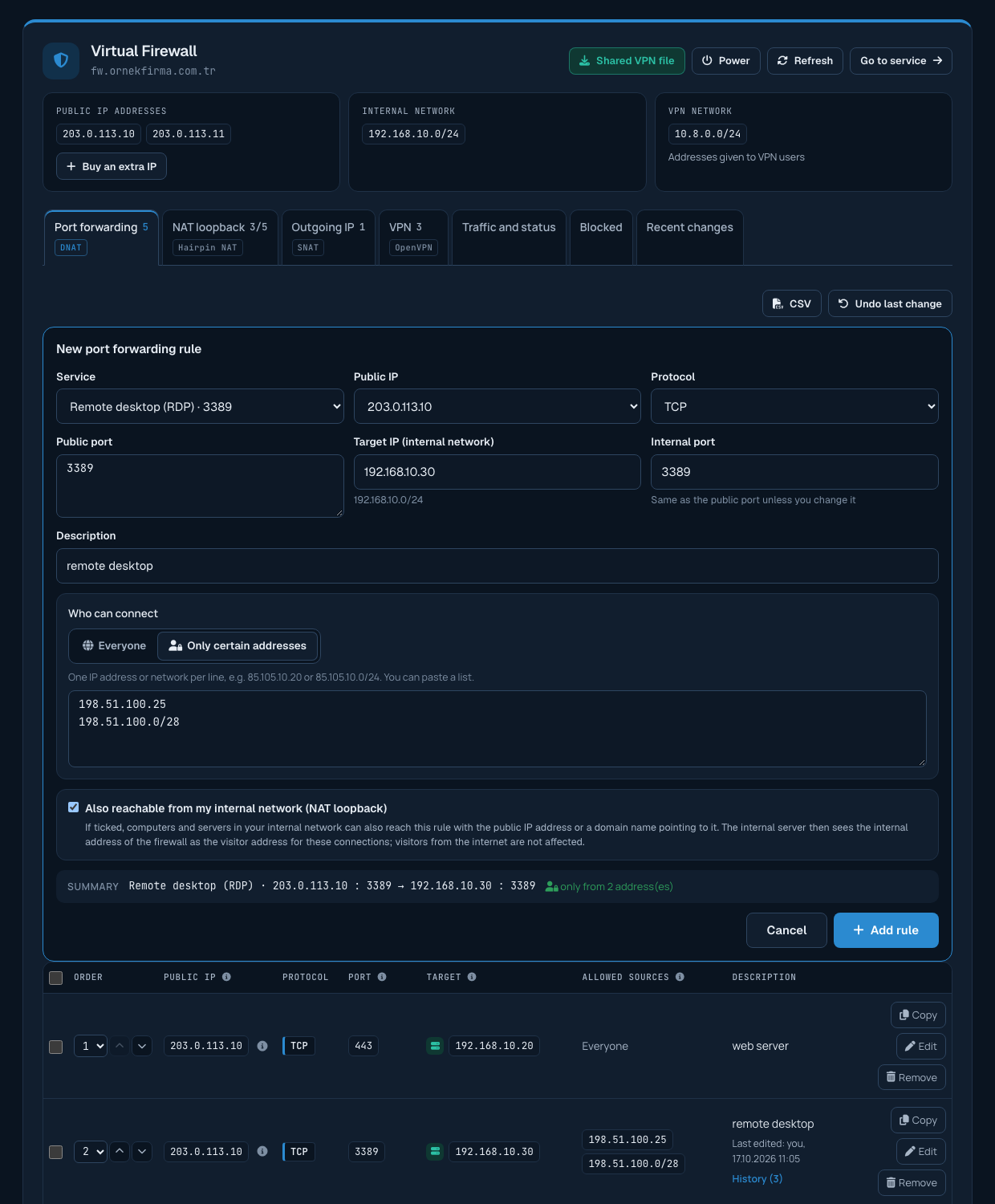
If you add allowed source IP addresses to a port forwarding rule, the port can only be reached from these addresses; connections from all other addresses stop at the firewall.
When should it be used?
We recommend allowed sources for ports that not everyone needs to reach, such as remote desktop (3389), SSH (22), databases (3306, 1433, 5432) and admin panels. When these ports are open to the internet, they are constantly targeted by password-guessing attacks.
Adding addresses
- Type an IP address (85.105.10.20) or a network (85.105.10.0/24) in the Allowed source IP addresses field of the rule form and press Enter, a comma or Add; the address is added to the list as a tag.
- You can paste several addresses at once, separated by commas or spaces.
- The Add my current IP button adds the address you are connected to the panel from.
- A rule can have at most 30 addresses or networks. Networks must be between /8 and /32.
- To remove an address from the list, click the cross next to its tag.
Adding an address later
Click Edit on the rule's row; the existing addresses appear as tags. Add the new address and click Save changes.
If you leave it empty
A rule without allowed sources lets anyone on the internet reach the port. You are asked to confirm this before the rule is saved.
Access from your internal network
If access from your internal network (NAT loopback) is on for the rule, servers in your internal network can also reach it; the allowed source list only limits connections from the internet.
Responsibility
You are responsible for the ports you open and the addresses you allow. If you do not have a fixed IP address (home or mobile connection), you need to add the new address to the rule whenever it changes; in that case connecting over VPN may be more convenient.
