

Virtual Firewall
Getting an Extra IP Address
With an extra public IP address on your firewall you can publish different servers on different addresses, or let a server go out to the internet with its own address.
What is it for?
- Forwarding the same port (for example 443) to two different servers, each on its own public IP.
- Letting an email server send mail with its own IP address and reverse record.
- Connecting with a specific address to systems that allow access by IP restriction.
How do I get one?
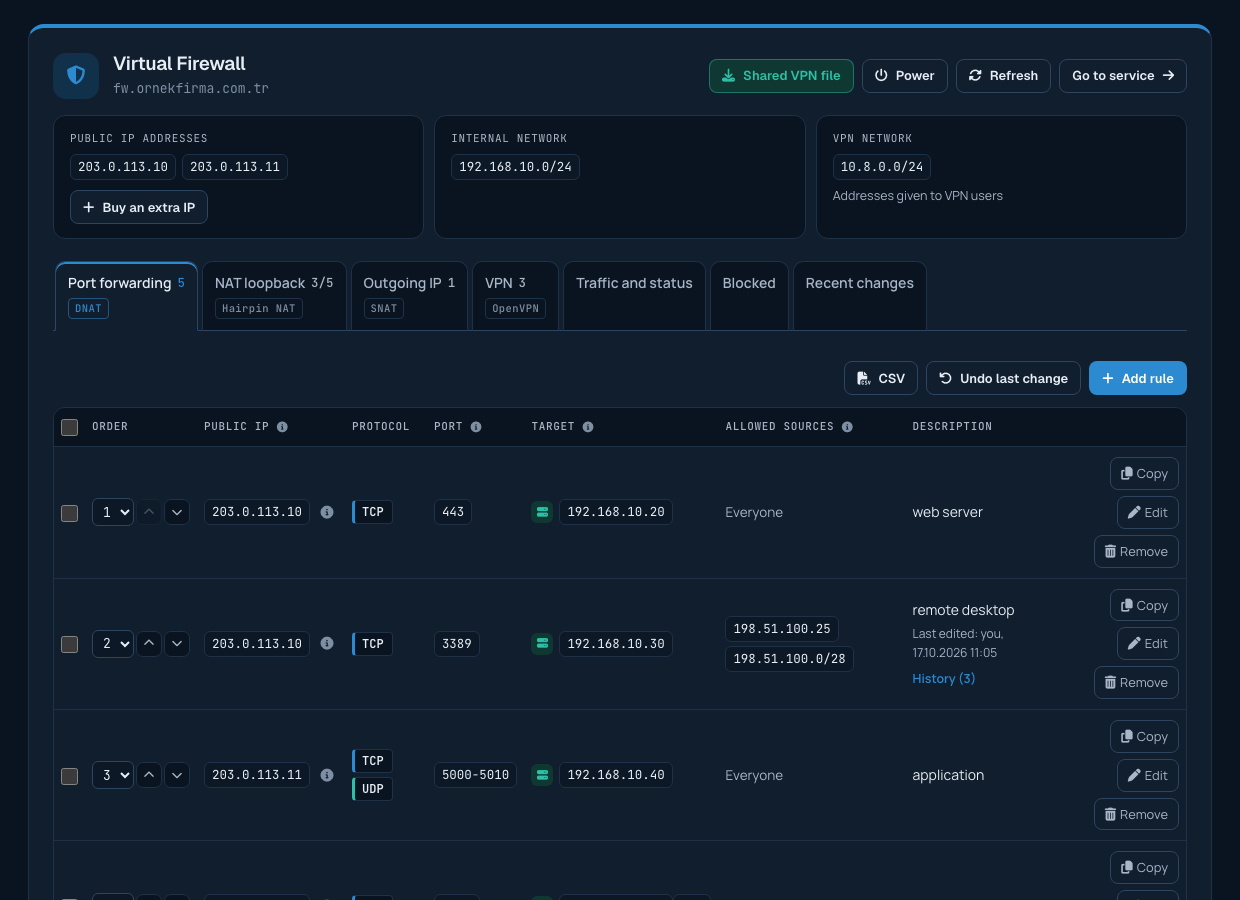
- On the Services > Firewall page, click Buy an extra IP on the public IP card at the top. Your service's options page opens.
- Choose the number you need under Extra IP address and complete the order.
- Once your payment is received, the request reaches our team and you get a "request received" email. Meanwhile the public IP card on the page shows that your extra IP is being set up.
- Our team chooses the IP address and assigns it to your firewall. You are notified by email when the address is ready.
After the IP address is ready
- The new address appears among the public IP addresses at the top of the page.
- You can choose it as the public IP in port forwarding rules.
- On the Outgoing IP tab you can let a server go out to the internet with this address; see the article "Choosing the Outgoing IP Address of a Server".
- You can edit the address's reverse record (rDNS) on the Services > IP management page.
The price of the extra IP address is added to your service's renewal amount. When you no longer need it, you can open a support ticket to have it removed.
