

Virtual Firewall: Choosing the Outgoing IP Address of a Server
Servers in your internal network go out to the internet with your firewall's default public IP address. If you have more than one public IP address, you can choose which one a server uses on the Outgoing addresses tab. This is also called source NAT.
What is it for?
- Letting an email server send mail from a separate IP address whose reverse record (rDNS) matches its name.
- Letting a server connect with a specific address that the other side allows by IP restriction (banks, e-invoice or supplier systems).
- Making servers of different customers or projects appear with different addresses.
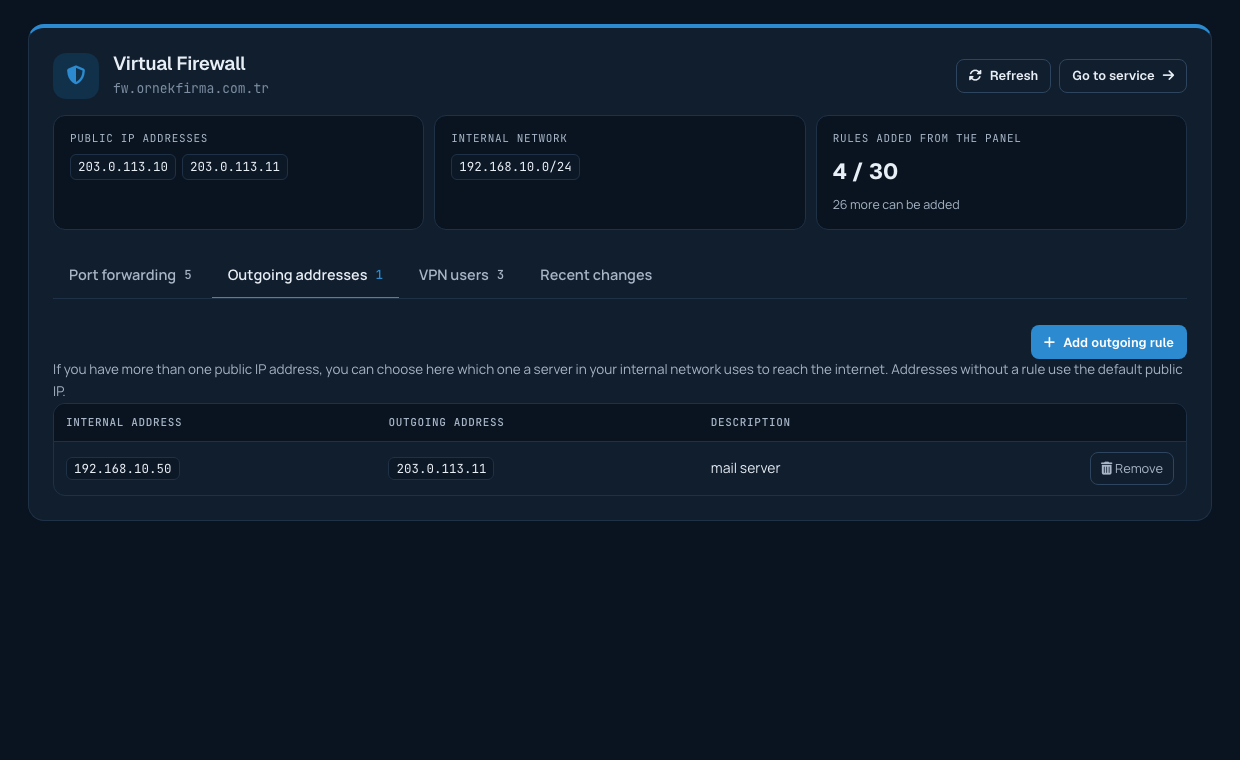
Adding a rule
On the Outgoing addresses tab, click Add outgoing rule:
- Internal address: your server's IP address in the internal network.
- Outgoing address: the public IP address the server uses to reach the internet.
- Description: an optional short note.
The rule is applied and verified. An internal address can have only one outgoing rule; to change the address, remove the existing rule and add a new one.

If the button is not shown
If your firewall has a single public IP address, there is no other address to choose, so the Add outgoing rule button is not shown. You can get extra IP addresses when ordering or later.
Reverse record (rDNS)
You can edit the reverse record of your outgoing address on the Services > IP management page. For email servers, a reverse record that matches the server name improves deliverability.
