mariadb updatemariadb upgrademariadb güncellememariadb 10.3 update
Upgrading MariaDB to 10.3 in Plesk on CentOS 7
If you want to upgrade MariaDB to version 10.3 on Plesk running on CentOS 7, follow these steps.
First, connect to the server over SSH.
yum install nano wget -y
Stop the running MariaDB service.
service mariadb stop
rpm -e mariadb-bench
Update the MariaDB repository.
nano /etc/yum.repos.d/MariaDB.repo
If the file already has content, delete it; then add the lines below.
[mariadb]
name = MariaDB
baseurl = http://yum.mariadb.org/10.3/centos7-amd64
gpgkey = https://yum.mariadb.org/RPM-GPG-KEY-MariaDB
gpgcheck = 1
Exit with ctrl+x and answer "y" to the prompt to continue.
Stop the MariaDB service.
service mariadb stop
Update MariaDB from the new repository.
yum install mariadb -y
Start MariaDB.
service mariadb start
Apply the remaining updates.
plesk sbin packagemng -sdf
rm /etc/init.d/mysql
systemctl daemon-reload
Upgrade the tables.
MYSQL_PWD=`cat /etc/psa/.psa.shadow` mysql_upgrade -uadmin
Restart the MariaDB service.
service mariadb restart
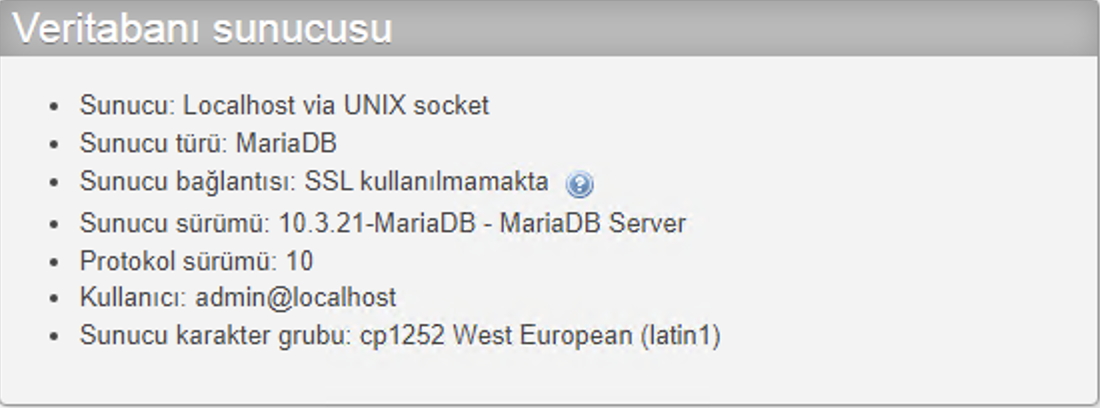
If you see the screen below, MariaDB has been upgraded successfully.