






Virtual Firewall
Choosing the Outgoing IP Address of a Server
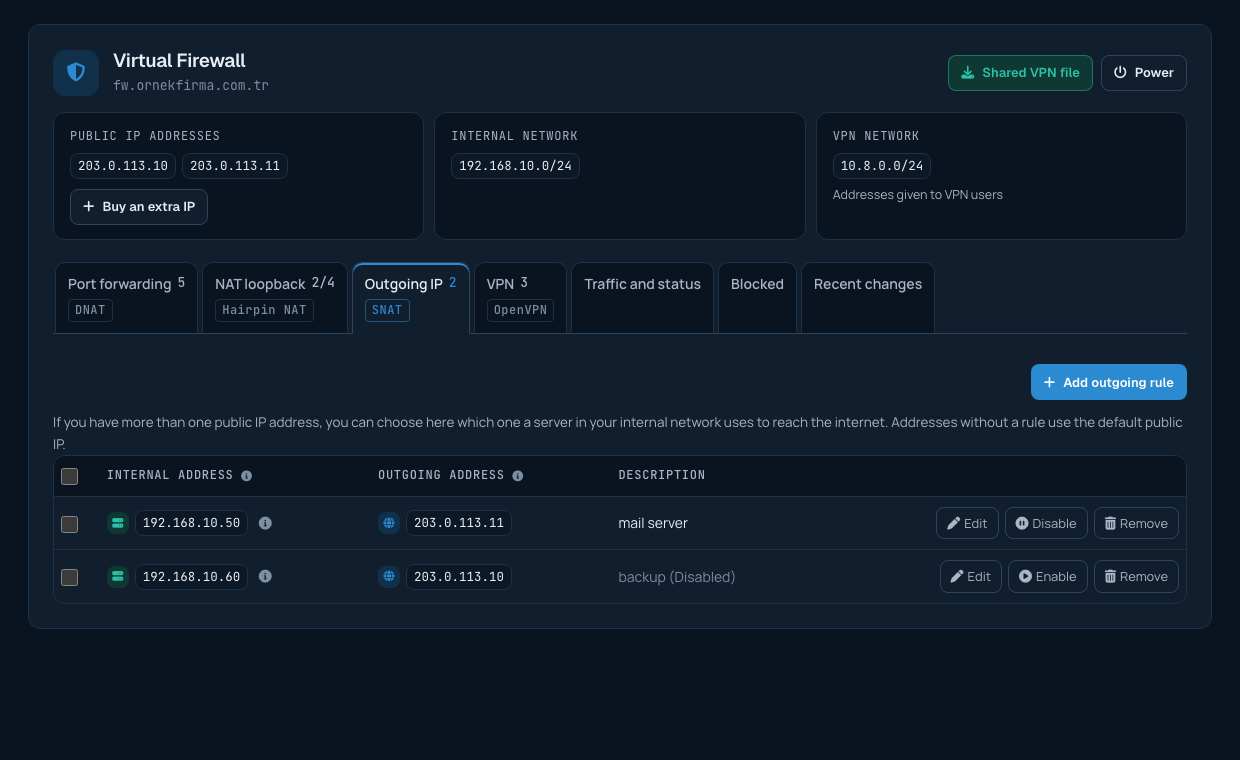
Servers in your internal network go out to the internet with your firewall's default public IP address. If you have more than one public IP address, you can choose which one a server uses on the Outgoing IP tab. This is also called source NAT.
What is it for?
- Letting an email server send mail from a separate IP address whose reverse record (rDNS) matches its name.
- Letting a server connect with a specific address that the other side allows by IP restriction (banks, e-invoice or supplier systems).
- Making servers of different customers or projects appear with different addresses.
Adding a rule
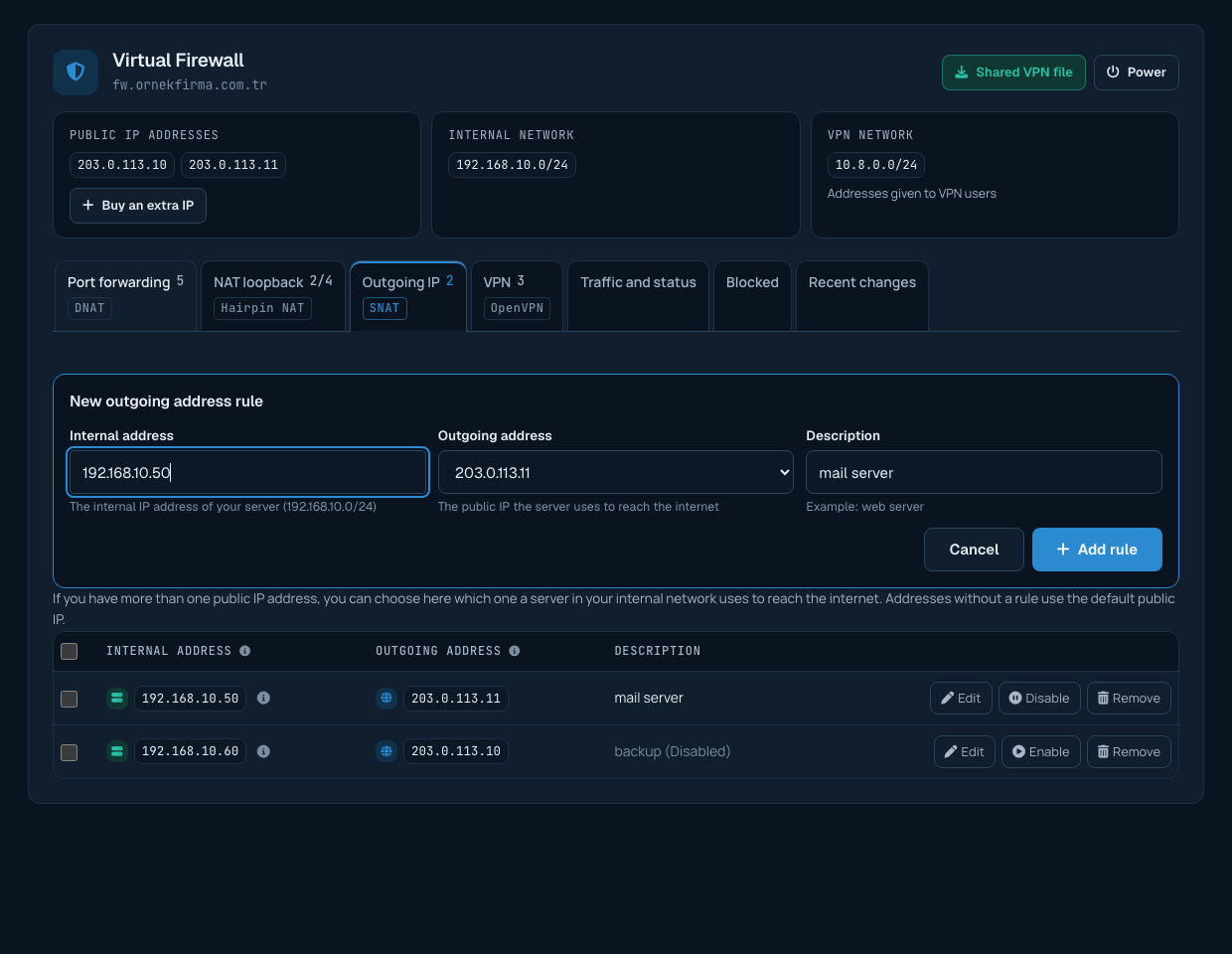
On the Outgoing IP tab, click Add outgoing rule:
- Internal address: your server's IP address in the internal network.
- Outgoing address: the public IP address the server uses to reach the internet.
- Description: an optional short note.
The rule is applied and verified. An internal address can have only one active outgoing rule. To change the outgoing address, use Edit on the rule's row.
Disabling and bulk changes
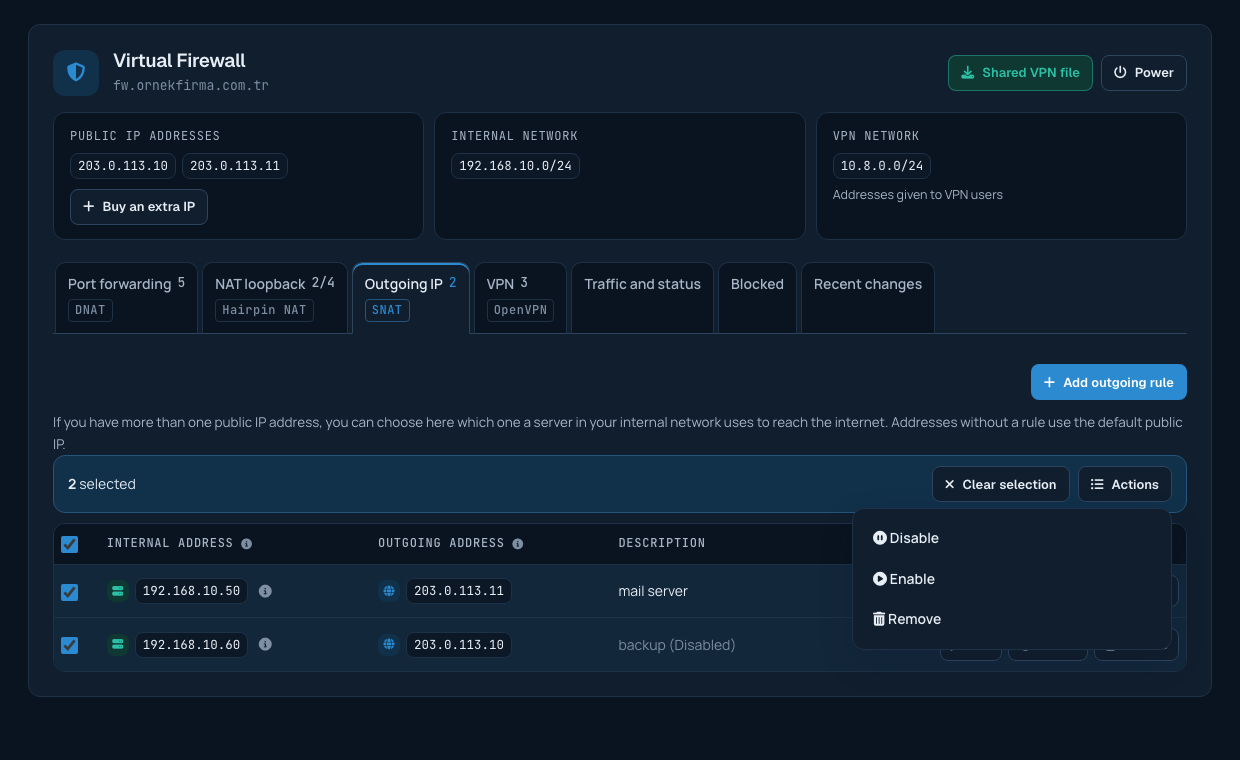
The Disable button on a row switches the rule off without deleting it; meanwhile the server goes out to the internet with the default public IP. The rule stays in the list as "(Disabled)" and is turned back on with Enable. To change several rules together, select them with the boxes at the start of the rows and choose Disable, Enable or Remove from the Actions menu. Each change is applied and verified; Undo last change reverses the last one.
If the button is not shown
If your firewall has a single public IP address, there is no other address to choose, so the Add outgoing rule button is not shown. You can get an extra IP address with the Buy an extra IP button on the public IP card at the top of the page; see the article "Getting an Extra IP Address".
Reverse record (rDNS)
You can edit the reverse record of your outgoing address on the Services > IP management page. For email servers, a reverse record that matches the server name improves deliverability.